
A lead writes in a chat, another is stuck in a spreadsheet, and a third lives only in your head.
BORA Gestión
Your sales day, in order.
Simple to use. The AI assistant guides you every step of the way.


Pay in pesos with Mercado Pago (Argentina) or in dollars with PayPal (all of Latin America).
Assistant
Your assistant, built into the platform
- You load your contacts or import them from a CSV.
- Each morning it tells you who to write to today.
- If you get stuck, you ask and it explains how to use each part, without seeing your contacts.
The problem
Your clients don’t live in one place. Or they shouldn’t.
“I’ll write next week.” And the week goes by with no follow-up.
When inquiries are scattered, nobody knows who asked for a quote, which proposal is still open, or who you were supposed to call today. That’s how sales that were already moving get lost.
BORA puts the sales day in order.
A day with BORA
You open BORA and already know what to do.
This is what the day looks like. These are not real clients.
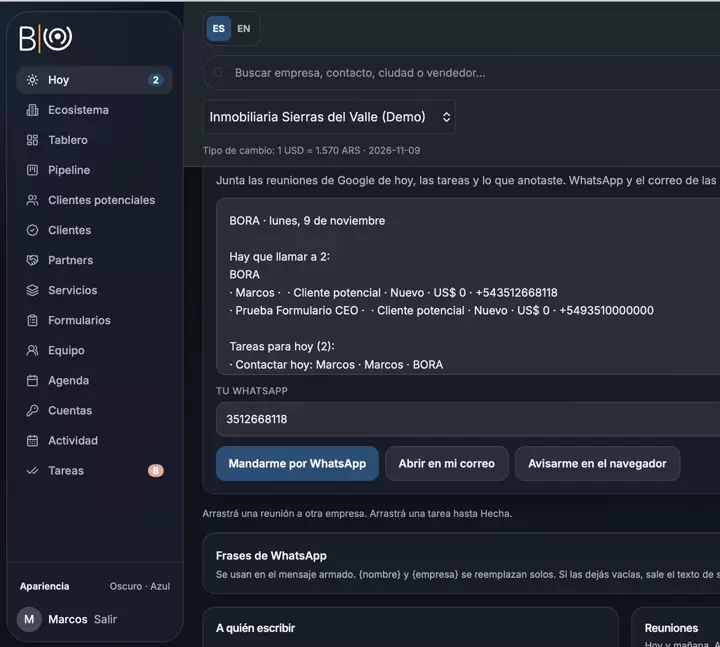
Today tells you who to call.
When you open it, one line sums up how many people to call, how many tasks you have, and how many meetings. The next meeting sits at the top, large, with the “Notify” button. Today tells you who to call when a task is due today or overdue, and a prospect with no news for 7 days shows up too. You drag tasks to Done without leaving the screen.
Task board.
Each task is created as Normal or Urgent, and urgent ones come first. You see them on the Board, with three columns (Progress, Review, and Done) and cards you drag, or as a List. The view you pick stays saved.
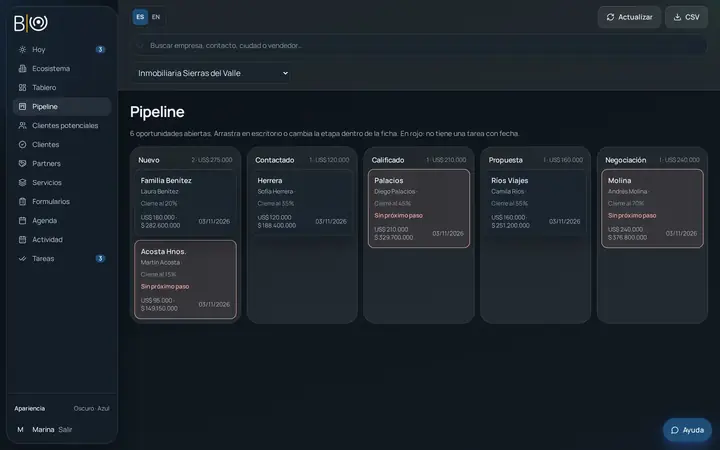
A pipeline with no forgotten proposals.
Proposals are sorted by stage. If one has no dated task, the card turns red with “No next step”. Moving from prospect to client keeps the history.
Calendar connected to Google.
You connect Google Calendar once. If a time is already busy there, it can’t be booked here, and you share your booking link the same day. Each meeting has “This meeting is for” so you assign it to a company.
Details that add up.
The menu shows a number only when something is pending, and Tasks turns red if one is overdue. You can import prospects from a CSV file. In Appearance you choose language, theme, and accent color.
Forms
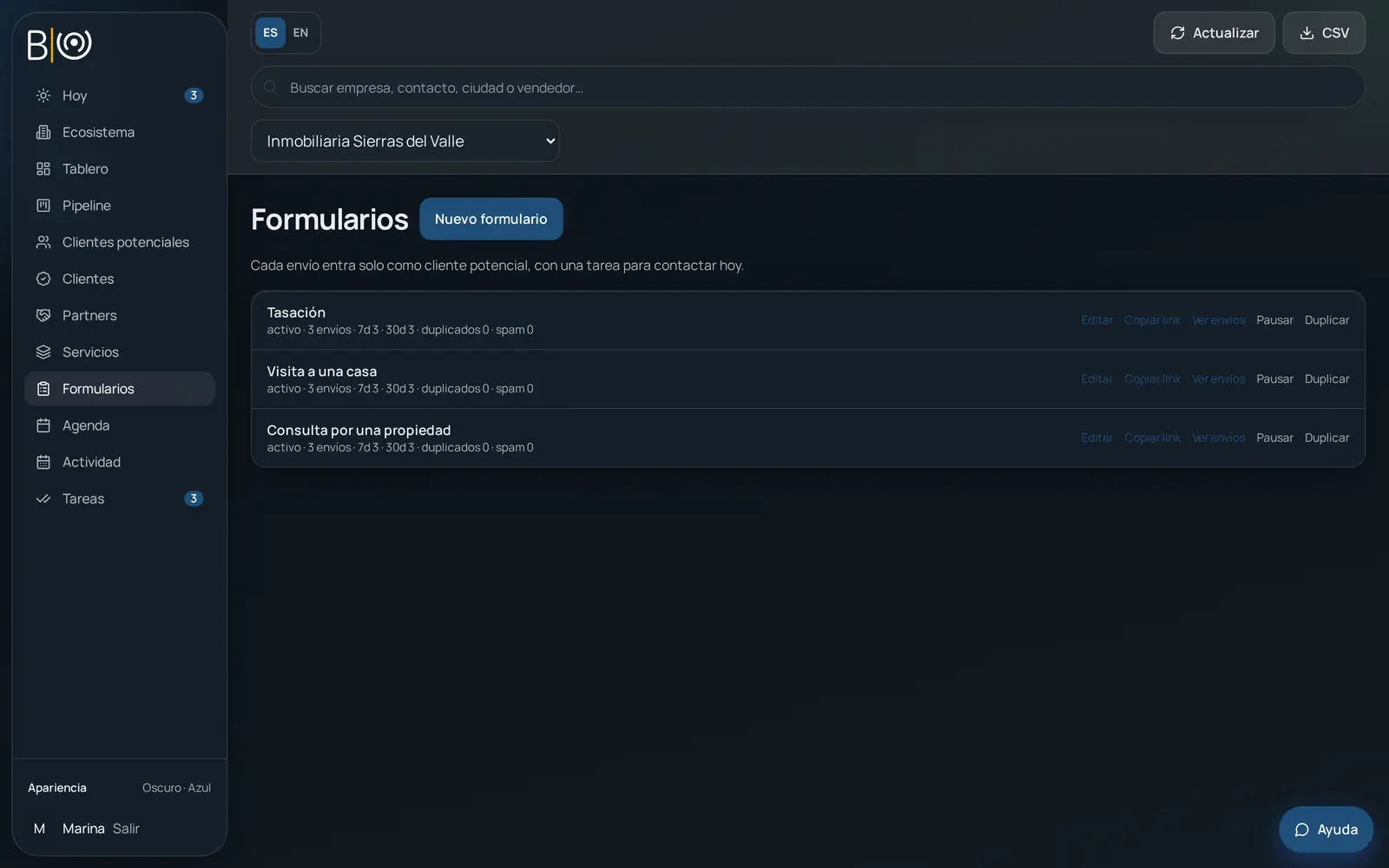
Every inquiry comes in on its own and with a task for today.
You build your form, copy the public link from Share, or embed it on any site.
Each submission comes in as a prospect in the New stage, with source Form, and automatically creates the “Contact today” task.
The record keeps the contact, the source, and the task to call them today.
▍
Send ➤If you sell as a team, inquiries rotate among the sellers, and you get an email for each submission. With UTM you see which campaign each inquiry came from.
No duplicates: if the contact already exists, the submission is noted on their record; if they are already a client, it goes straight to the client. If a lost prospect writes again, they return to New. And if you need to stop inquiries, you pause the form.
The form asks the contact for consent under Personal Data Protection Law 25.326.
Included in Individual and Business.
Companies
Several companies, one account.
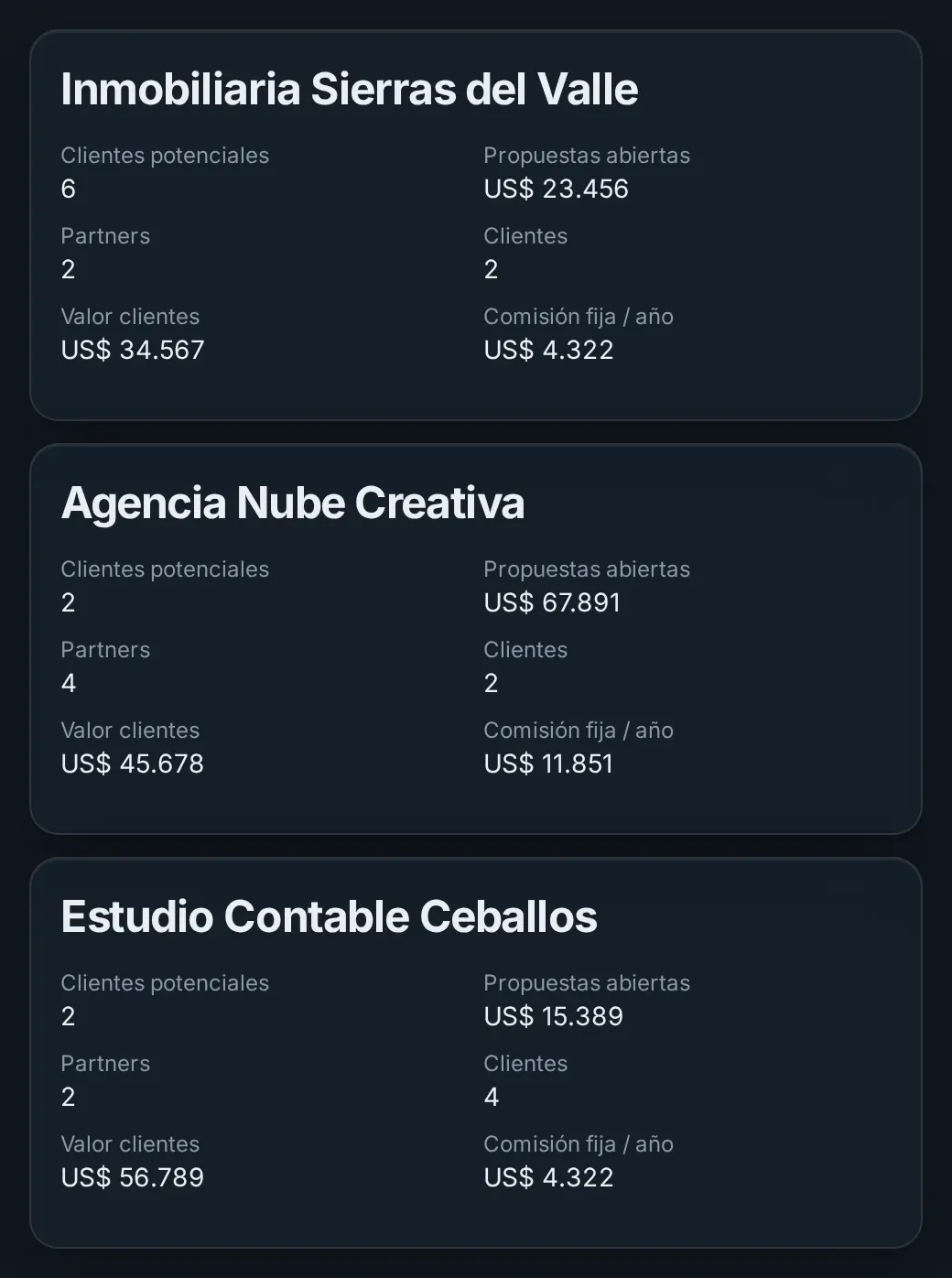
Each brand has its own numbers. Each company has its own pipeline, clients, partners, services, and calendar, and nothing gets mixed. Today shows only the meetings of the company you have open.
If someone helps you with a single brand, you give them a code that opens only that company. They sign in with their own password and don’t see the rest.
From Companies you can make a backup and restore it when you need it. Restoring replaces the current data.
Individual covers one company and Business goes up to five.
By industry
A simple CRM for small companies and firms with several brands.
If today you keep clients in a chat, a spreadsheet, or your head, BORA organizes the follow-up without changing how you sell.
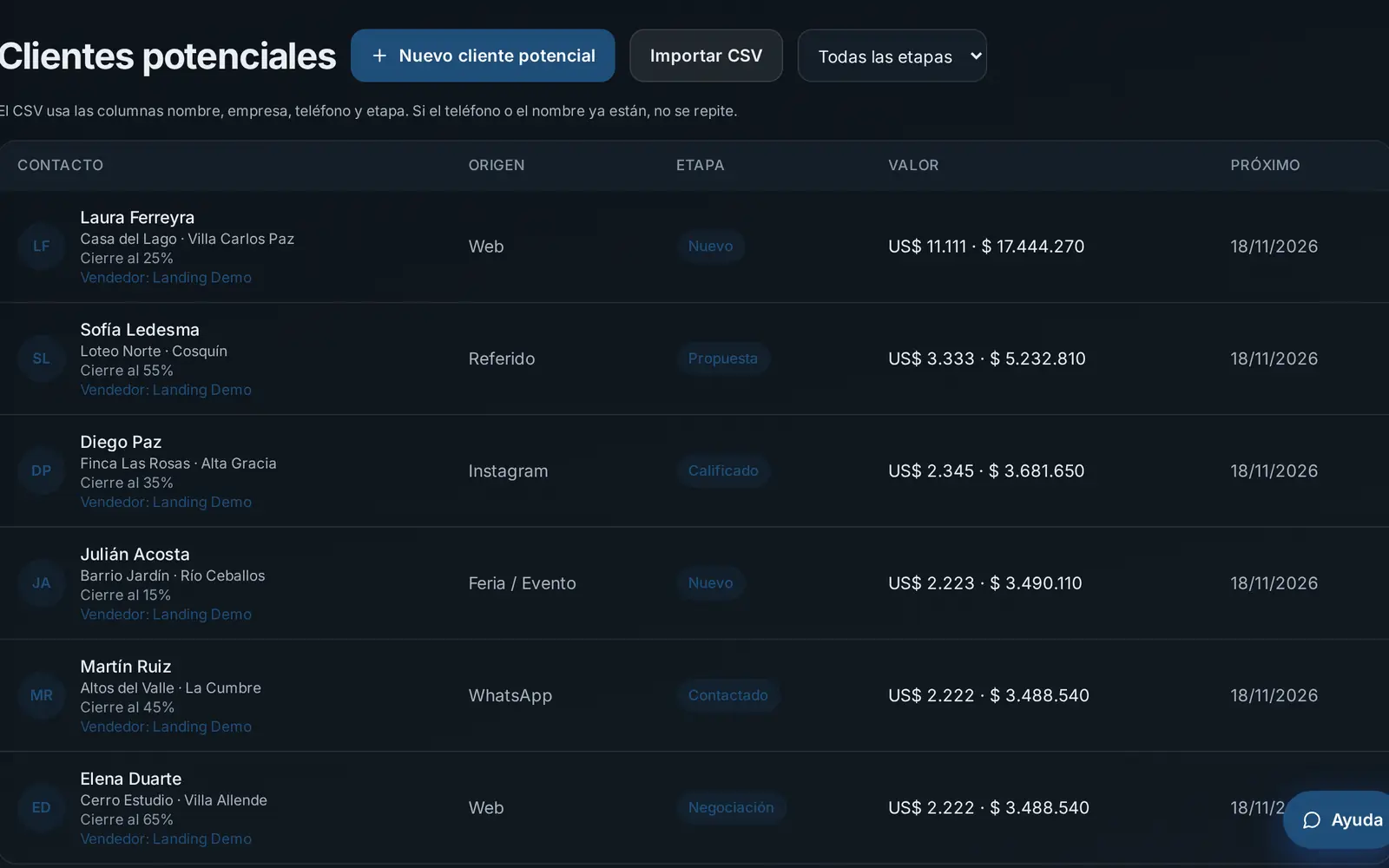
Real estate
Form inquiries come in as prospects with “Contact today”, and the calendar shares visit times without clashing with Google Calendar.
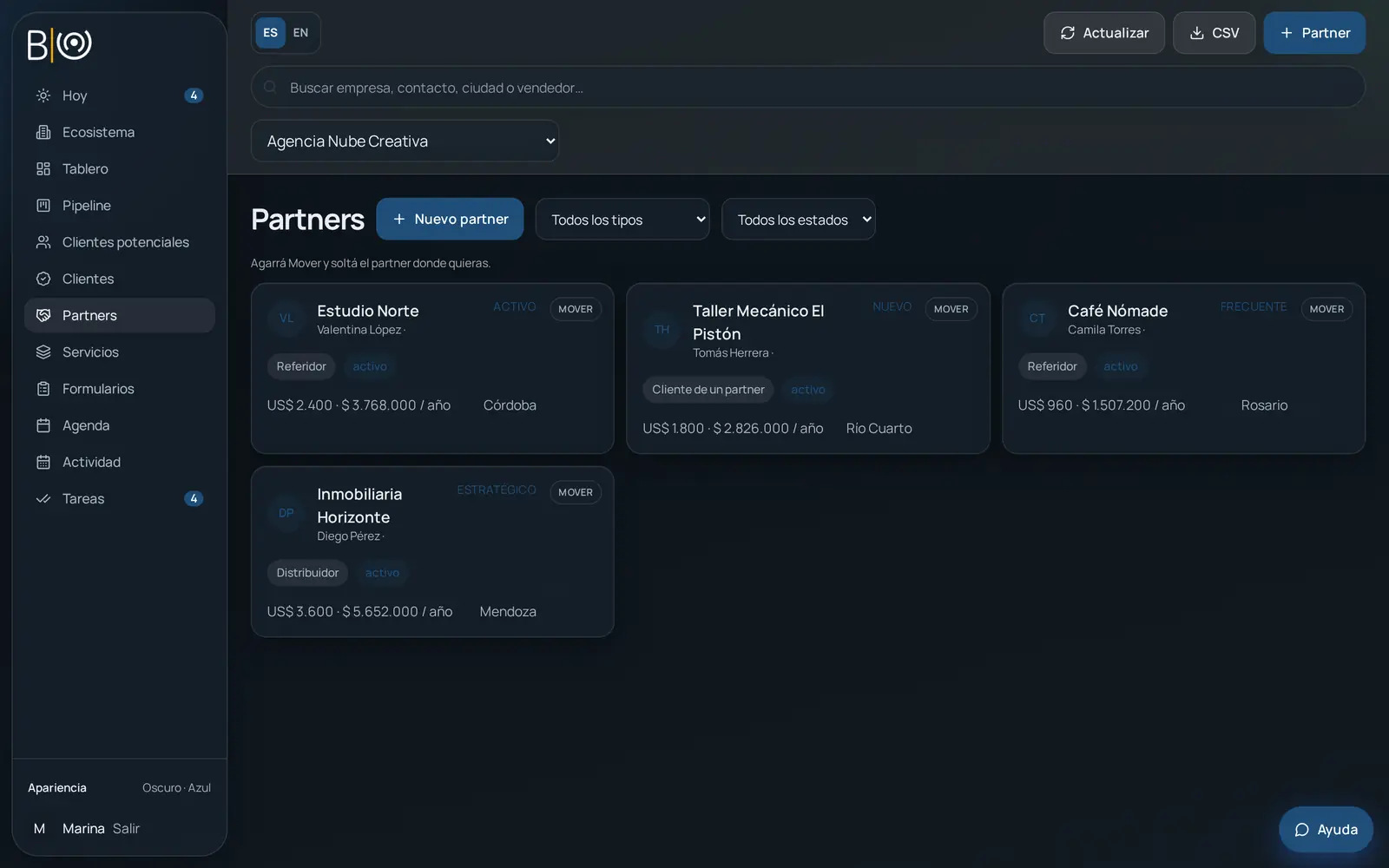
Agency
Each brand or account you handle is a separate company, with its own proposals and numbers.
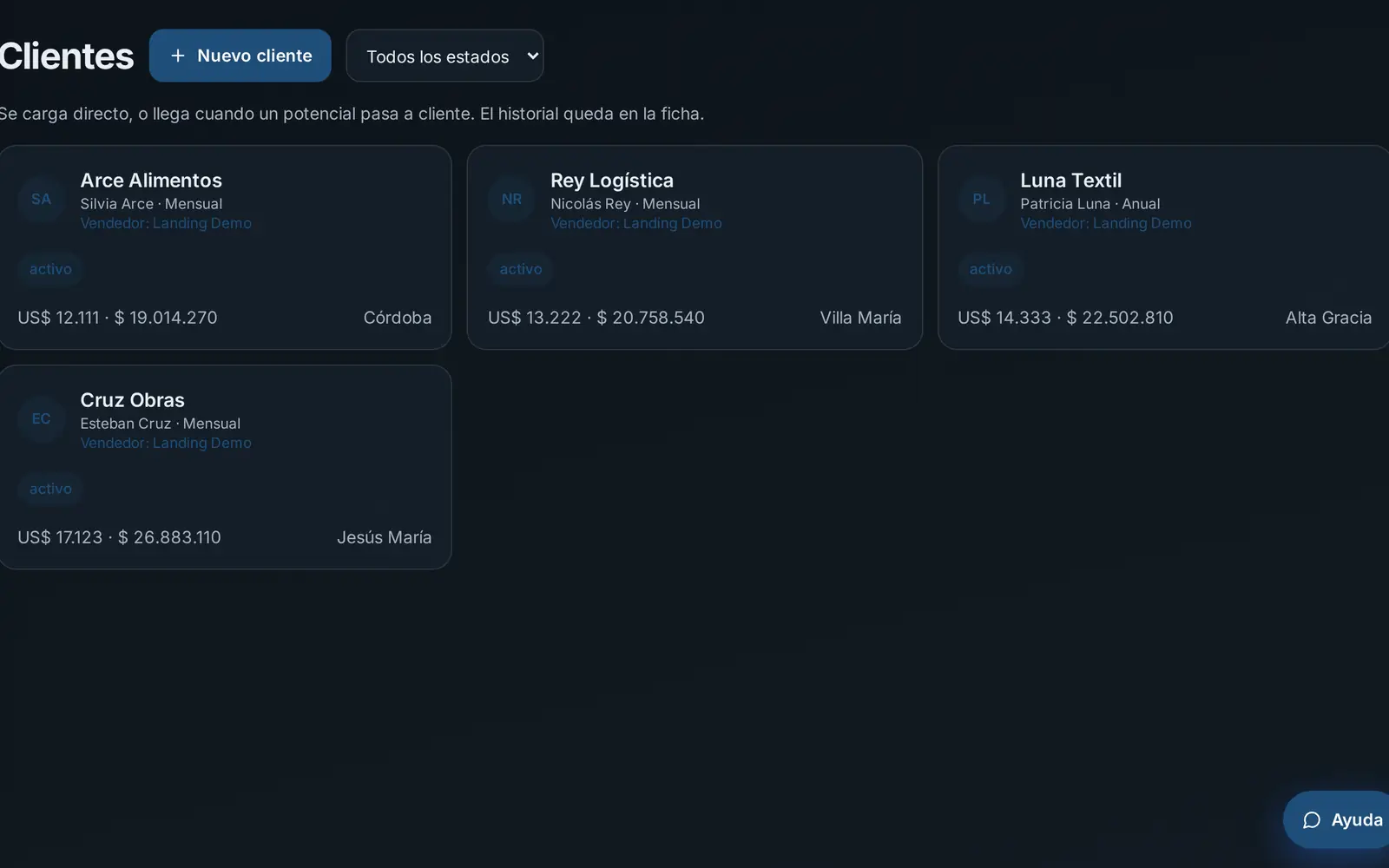
Accounting firm
Services stores what you offer with a monthly or yearly price, and Tasks marked Urgent sorts the team’s deadlines.
The names you see are examples.
Why BORA
Built to grow without getting in your way.
Several companies on one plan.
Individual covers one company and Business, up to five. The Team add-on, for managing sellers, is separate.
You pay in pesos.
You try it for 7 days with no card. After that you pay in pesos with Mercado Pago.
You start the same day.
You create the account and it stays open for 7 days, without us having to enable you. The AI assistant guides you as you load your data and use the platform.
No lock-in.
You can cancel the renewal and your data is not deleted.
We use it at BORA to sell. Before we recommend a tool, we use it ourselves.
Pricing
Choose your plan. Try 7 days free, no card needed.
Pay whichever way suits you
Pesos with Mercado Pago in Argentina · Dollars with PayPal in the rest of Latin America
MonthlyYearly30% off
Individual
US$12 a month
For a single company. Includes Today, Pipeline, Tasks, Calendar, and Forms. It does not include the morning email.
Yearly plan: US$100.80 a year (US$8.40 a month, 30% off).
Business
US$35 a month
Up to 5 companies, with the morning email (up to 100 a month). Forms included.
Yearly plan: US$294 a year (US$24.50 a month, 30% off).
Both plans renew on their own. You can cancel the renewal and your data is not deleted. After the trial you pay in pesos with Mercado Pago.
Team 1
Team 1 · US$300 a year · To manage sellers
It only adds on to yearly Business; it is not available on Individual or monthly Business, and it has no discount. It is added to that plan and does not replace it.
- 1 team of up to 10 sellers.
- The seller sees only their prospects, clients, activities, and tasks. Partners stay with the main account and are not assigned to sellers.
- The director assigns each contact and sees everyone’s work.
- Each seller connects their Google Calendar and the director sees the meetings.
- Monday to Friday, at 8:00 in their country, each seller gets their calendar summary.
Team
Team · US$600 a year · To manage sellers
It only adds on to yearly Business; it is not available on Individual or monthly Business, and it has no discount. It is added to that plan and does not replace it.
- Up to 4 teams and 10 sellers in each.
- The seller sees only their prospects, clients, activities, and tasks. Partners stay with the main account and are not assigned to sellers.
- The director assigns each contact and sees everyone’s work.
- Each seller connects their Google Calendar and the director sees the meetings.
- Monday to Friday, at 8:00 in their country, each seller gets their calendar summary.
Your CRM comes connected to your social media
Run an agency or manage your clients' social media? Add BORA CM. If not, BORA Gestión works fully on its own.
BORA CM is BORA’s platform for agencies to plan, approve with the client, and schedule posts for all their brands. Connected to BORA Gestión, each post can bring you a client and BORA Gestión tells you who to write to.
 BORA CMNative integration
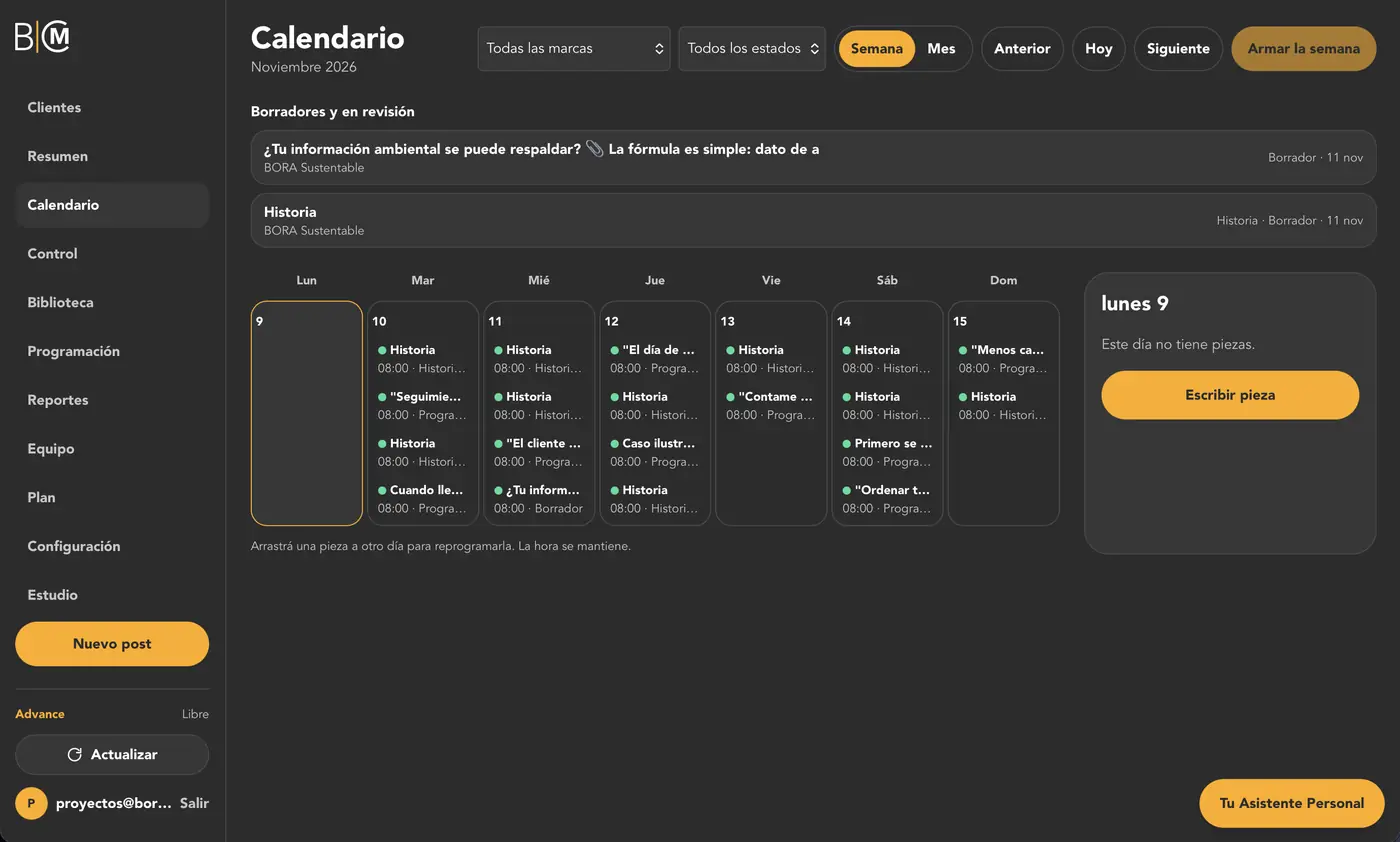
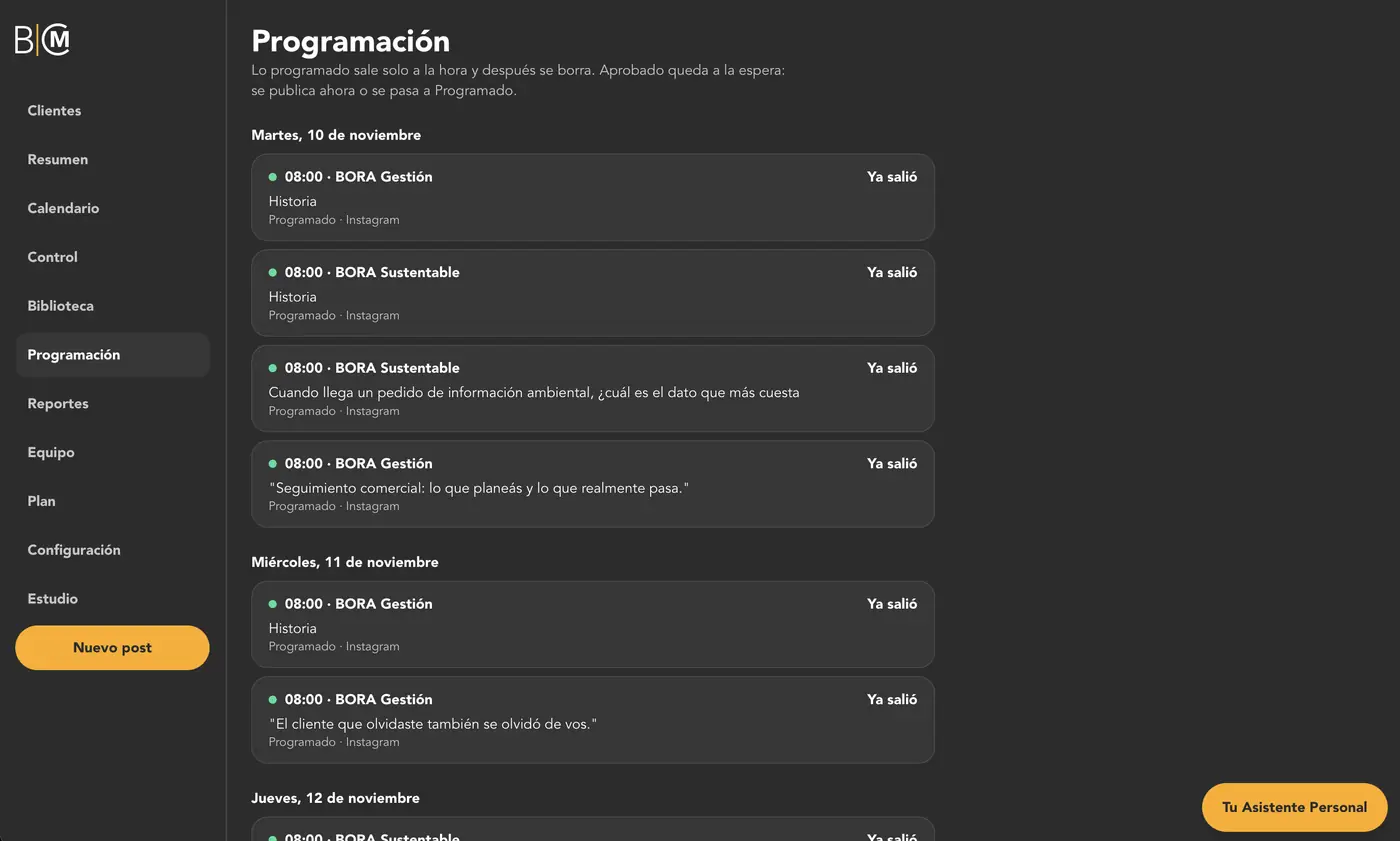
How they work together
- 1
You schedule your post in BORA CM with your form link.
- 2
Whoever is interested leaves their details: name, WhatsApp, and company.
- 3
They come into BORA Gestión on their own as a prospect, with the “Contact today” task.
BORA CM is optional: another BORA platform, with its own plan.
You can also connect Google Calendar once: busy times are not offered on your booking link.
FAQ
No. You create the account and use it free for 7 days, no card.
After the trial you pay in pesos with Mercado Pago. The price is in dollars and is charged at the official selling rate at the time of payment.
You can cancel the renewal whenever you want and your data is not deleted.
Individual covers one company, includes Forms, and costs US$12 a month. It does not include the morning email. Business covers up to five companies, adds the morning email, and includes Forms, for US$35 a month. Both have a yearly plan with 30% off.
With Team 1, US$300 a year, you set up 1 team of up to 10 sellers. With Team, US$600 a year, you get up to 4 teams of 10 sellers. Both add on only to yearly Business: they are not on Individual or monthly Business, and they have no discount.
Yes. Forms are included in Individual and Business.
Yes, up to 4 MB, as PDF, Word, PNG, JPEG, or WebP.
Yes. From Companies you make a copy and restore it when you need it. Restoring replaces the current data.
No. You sign up, the assistant stays with you, and in minutes your day is in order.
Tomorrow, open BORA and know who to call.
Try 7 days free, no card needed.
Pay in pesos with Mercado Pago (Argentina) or in dollars with PayPal (all of Latin America).
The AI assistant guides you as you load your data and use the platform.